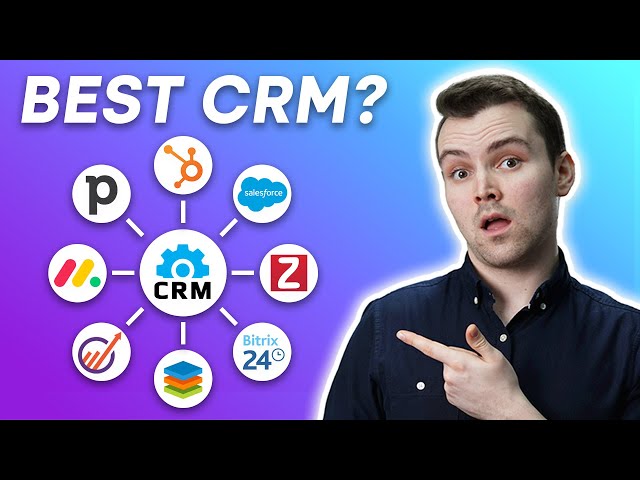
Customer relationship management (CRM) tools are software applications that help businesses manage and track their customer interactions and data. These tools can help businesses improve their customer service, sales, and marketing efforts. Top CRM tools for managing customer data include Salesforce, HubSpot, and Microsoft Dynamics 365.
CRM tools can help businesses:
- Track customer interactions: CRM tools can track all of a customer’s interactions with a business, including phone calls, emails, website visits, and social media interactions.
- Manage customer data: CRM tools can store and manage all of a customer’s data, including their contact information, purchase history, and preferences.
- Automate marketing and sales processes: CRM tools can automate marketing and sales processes, such as sending out email campaigns and scheduling appointments.
- Improve customer service: CRM tools can help businesses improve their customer service by providing a central location for all customer data and interactions.
CRM tools have become increasingly important for businesses in recent years as customer expectations have risen and competition has intensified. Businesses that use CRM tools can gain a significant advantage over those that don’t.
Top CRM Tools for Managing Customer Data
Customer relationship management (CRM) tools are essential for businesses of all sizes. They help businesses track and manage their customer interactions and data, which can lead to improved customer service, sales, and marketing. Here are seven key aspects of top CRM tools for managing customer data:
- Centralization: CRM tools centralize all customer data in one place, making it easy for businesses to track and manage customer interactions.
- Automation: CRM tools can automate many marketing and sales tasks, such as sending out email campaigns and scheduling appointments.
- Customization: CRM tools can be customized to fit the specific needs of a business.
- Integration: CRM tools can be integrated with other business software, such as accounting and email marketing software.
- Reporting: CRM tools provide businesses with valuable insights into their customer data, such as customer lifetime value and churn rate.
- Scalability: CRM tools can scale to meet the needs of growing businesses.
- Security: CRM tools keep customer data secure and confidential.
These are just a few of the key aspects of top CRM tools for managing customer data. Businesses that are looking for a CRM tool should consider these factors when making their decision.
Centralization
Centralization is a key feature of top CRM tools for managing customer data. By centralizing all customer data in one place, businesses can gain a complete view of their customer interactions and relationships. This can lead to improved customer service, sales, and marketing.
For example, a business that uses a CRM tool can track all of a customer’s interactions with the business, including phone calls, emails, website visits, and social media interactions. This information can be used to provide the customer with a more personalized experience. For example, a customer service representative can use the CRM tool to see a customer’s previous interactions with the business and tailor their service accordingly.
Centralization can also help businesses to identify and track customer trends. For example, a business can use a CRM tool to track the number of customer inquiries about a particular product or service. This information can be used to identify areas where the business can improve its products or services.
Overall, centralization is an essential feature of top CRM tools for managing customer data. By centralizing all customer data in one place, businesses can gain a complete view of their customer interactions and relationships. This can lead to improved customer service, sales, and marketing.
Automation
Automation is a key feature of top CRM tools for managing customer data. By automating many marketing and sales tasks, businesses can save time and improve efficiency. This can lead to increased revenue and improved customer satisfaction.
- Improved efficiency: CRM tools can automate many repetitive tasks, such as sending out email campaigns and scheduling appointments. This can free up sales and marketing teams to focus on more strategic tasks, such as lead generation and customer relationship management.
- Increased revenue: Automated marketing campaigns can help businesses to reach more potential customers and generate more leads. Automated appointment scheduling can help businesses to book more appointments and close more deals.
- Improved customer satisfaction: Automated customer service can help businesses to respond to customer inquiries more quickly and efficiently. This can lead to improved customer satisfaction and loyalty.
Overall, automation is an essential feature of top CRM tools for managing customer data. By automating many marketing and sales tasks, businesses can save time, improve efficiency, increase revenue, and improve customer satisfaction.
Customization
Customization is a key feature of top CRM tools for managing customer data. This is because every business is different and has unique needs. A CRM tool that can be customized to fit the specific needs of a business will be more effective than a one-size-fits-all solution.
For example, a business that sells complex products may need a CRM tool that can track customer interactions in detail. A business that sells simple products may need a CRM tool that is less complex and more focused on sales tracking. A CRM tool that can be customized to fit the specific needs of a business will be more effective in helping that business to achieve its goals.
There are many different ways to customize a CRM tool. Some CRM tools allow businesses to customize the user interface, the data fields, and the workflows. Other CRM tools allow businesses to integrate with other software applications, such as accounting software and email marketing software. By customizing a CRM tool to fit the specific needs of a business, businesses can gain a competitive advantage.
Integration
Integration is a key feature of top CRM tools for managing customer data. This is because businesses use a variety of software applications to manage their operations. By integrating a CRM tool with other business software, businesses can create a more streamlined and efficient workflow.
For example, a business can integrate its CRM tool with its accounting software. This integration can allow the business to track customer payments and invoices directly within the CRM tool. This can save time and reduce the risk of errors.
Another example is the integration of a CRM tool with email marketing software. This integration can allow the business to send automated email campaigns to customers. This can help the business to nurture leads and close more deals.
Overall, integration is a key feature of top CRM tools for managing customer data. By integrating a CRM tool with other business software, businesses can create a more streamlined and efficient workflow. This can lead to increased productivity, improved customer service, and increased sales.
Reporting
Reporting is a key feature of top CRM tools for managing customer data. By providing businesses with valuable insights into their customer data, CRM tools can help businesses to make better decisions and improve their bottom line.
- Customer lifetime value (CLTV): CLTV is a metric that measures the total amount of revenue that a customer is expected to generate over their lifetime. CRM tools can help businesses to calculate CLTV by tracking customer purchases, interactions, and other data. This information can be used to identify high-value customers and develop strategies to retain them.
- Churn rate: Churn rate is a metric that measures the percentage of customers who stop doing business with a company over a specific period of time. CRM tools can help businesses to calculate churn rate by tracking customer cancellations and other data. This information can be used to identify the reasons why customers are churning and develop strategies to reduce churn.
- Customer segmentation: CRM tools can help businesses to segment their customers into different groups based on their demographics, behavior, and other factors. This information can be used to develop targeted marketing and sales campaigns.
- Campaign performance: CRM tools can help businesses to track the performance of their marketing and sales campaigns. This information can be used to identify which campaigns are most effective and which campaigns need to be improved.
Overall, reporting is a key feature of top CRM tools for managing customer data. By providing businesses with valuable insights into their customer data, CRM tools can help businesses to make better decisions and improve their bottom line.
Scalability
As businesses grow, their customer data needs also grow. A CRM tool that can scale to meet the needs of a growing business is essential for managing customer data effectively.
- Flexibility: Scalable CRM tools can be customized to meet the specific needs of a business, regardless of its size or industry. This flexibility ensures that the CRM tool can grow and adapt as the business grows and changes.
- Capacity: Scalable CRM tools can handle large amounts of data without sacrificing performance. This is important for businesses that have a large customer base or that generate a lot of customer data.
- Reliability: Scalable CRM tools are reliable and can be counted on to perform even during periods of high demand. This is important for businesses that need to access their customer data at all times.
Overall, scalability is an essential feature of top CRM tools for managing customer data. By choosing a CRM tool that can scale to meet the needs of a growing business, businesses can ensure that they have the tools they need to manage their customer data effectively and grow their business.
Security
Security is a critical component of top CRM tools for managing customer data. Customer data is sensitive and confidential, and businesses need to be sure that it is protected from unauthorized access, use, or disclosure. CRM tools that meet the highest security standards use a variety of measures to protect customer data, including:
- Encryption: CRM tools encrypt customer data at rest and in transit, making it unreadable to unauthorized users.
- Authentication: CRM tools use strong authentication mechanisms, such as two-factor authentication, to prevent unauthorized users from accessing customer data.
- Authorization: CRM tools use authorization mechanisms to control access to customer data, ensuring that only authorized users can access the data they need to do their jobs.
- Audit trails: CRM tools log all access to customer data, providing a record of who accessed the data, when they accessed it, and what they did with it.
By using CRM tools that meet the highest security standards, businesses can be sure that their customer data is safe and secure.
Here are some real-life examples of the importance of CRM security:
- In 2018, Marriott International suffered a data breach that exposed the personal information of over 500 million guests. The breach was caused by a flaw in the company’s CRM system.
- In 2019, Equifax suffered a data breach that exposed the personal information of over 145 million Americans. The breach was caused by a vulnerability in the company’s CRM system.
These examples show that CRM security is not a luxury, but a necessity. Businesses that do not take CRM security seriously put their customers’ data at risk.
Conclusion
Security is a critical component of top CRM tools for managing customer data. By using CRM tools that meet the highest security standards, businesses can be sure that their customer data is safe and secure.
FAQs on Top CRM Tools for Managing Customer Data
This section addresses frequently asked questions (FAQs) about top CRM tools for managing customer data. These questions are designed to provide a comprehensive understanding of the key aspects of CRM tools and their benefits for businesses.
Question 1: What are the benefits of using a CRM tool?
CRM tools offer numerous benefits, including centralized customer data management, improved customer service, streamlined sales and marketing processes, enhanced customer segmentation and targeting, and valuable insights through data analysis.
Question 2: What should businesses consider when choosing a CRM tool?
When selecting a CRM tool, businesses should evaluate factors such as scalability, security measures, integration capabilities, user-friendliness, vendor reliability, and alignment with their specific business needs and goals.
Question 3: Are CRM tools expensive?
CRM tools vary in pricing, depending on the features, functionality, and support offered. However, there are affordable options available for small businesses and startups, and most vendors offer flexible pricing plans to accommodate different budgets.
Question 4: How can businesses ensure data security when using a CRM tool?
Top CRM tools prioritize data security through encryption, authentication mechanisms, access controls, and regular security updates. Businesses should also implement best practices such as strong password management, regular backups, and employee training on data security.
Question 5: Can CRM tools integrate with other business systems?
Many CRM tools offer seamless integration with other business systems, such as accounting software, email marketing platforms, and e-commerce solutions. This integration enables businesses to streamline their operations and gain a holistic view of their customer data.
Question 6: How do CRM tools help businesses improve customer satisfaction?
CRM tools facilitate improved customer satisfaction by providing a centralized platform for managing customer interactions, tracking customer preferences, and personalizing customer experiences. This enables businesses to respond promptly to customer inquiries, resolve issues efficiently, and build stronger relationships with their customers.
Summary
CRM tools are powerful solutions that can significantly enhance customer data management and drive business growth. By carefully evaluating their needs and choosing the right CRM tool, businesses can unlock the full potential of their customer data and achieve greater success.
Transition to the next article section
For further insights into the benefits and implementation of CRM tools, explore the following resources:
Tips for Using Top CRM Tools for Managing Customer Data
Customer relationship management (CRM) tools are essential for businesses of all sizes. They help businesses track and manage their customer interactions and data, which can lead to improved customer service, sales, and marketing. Here are seven tips for using top CRM tools to manage customer data:
Tip 1: Choose the right CRM tool for your business.
There are many different CRM tools on the market, so it’s important to choose one that is right for your business. Consider your business’s size, industry, and specific needs when making your decision.
Tip 2: Implement your CRM tool correctly.
Once you’ve chosen a CRM tool, it’s important to implement it correctly. This means training your employees on how to use the tool and making sure that your data is clean and accurate.
Tip 3: Use your CRM tool to track all customer interactions.
Your CRM tool should be a central repository for all customer interactions, including phone calls, emails, website visits, and social media interactions. This will give you a complete view of your customer relationships.
Tip 4: Use your CRM tool to manage customer data.
Your CRM tool should also be used to manage customer data, such as contact information, purchase history, and preferences. This information can be used to personalize your marketing and sales efforts.
Tip 5: Use your CRM tool to automate marketing and sales tasks.
Many CRM tools can automate marketing and sales tasks, such as sending out email campaigns and scheduling appointments. This can free up your sales and marketing teams to focus on more strategic tasks.
Tip 6: Use your CRM tool to generate reports.
CRM tools can generate reports that can help you track your sales and marketing performance. These reports can be used to identify areas where you can improve your efforts.
Tip 7: Use your CRM tool to improve customer service.
CRM tools can help you improve customer service by providing you with a complete view of your customer interactions. This information can be used to identify and resolve customer issues quickly and efficiently.
By following these tips, you can use top CRM tools to manage customer data effectively and improve your business’s bottom line.
Conclusion
CRM tools are a powerful tool for managing customer data and improving customer relationships. By following these tips, you can use CRM tools to gain a competitive advantage and grow your business.
Conclusion
In conclusion, the effective management of customer data is paramount for businesses seeking to enhance customer relationships, drive sales, and optimize marketing strategies. Top CRM tools offer a comprehensive solution for organizing, tracking, and analyzing customer interactions and data. By implementing these tools and adhering to best practices, organizations can gain a holistic view of their customer base, personalize their approach, and ultimately achieve business growth.
As technology continues to advance, the capabilities of CRM tools will undoubtedly evolve, offering even more robust features and integrations. Businesses that embrace these advancements and leverage customer data effectively will be well-positioned to thrive in the competitive landscape.
Youtube Video: